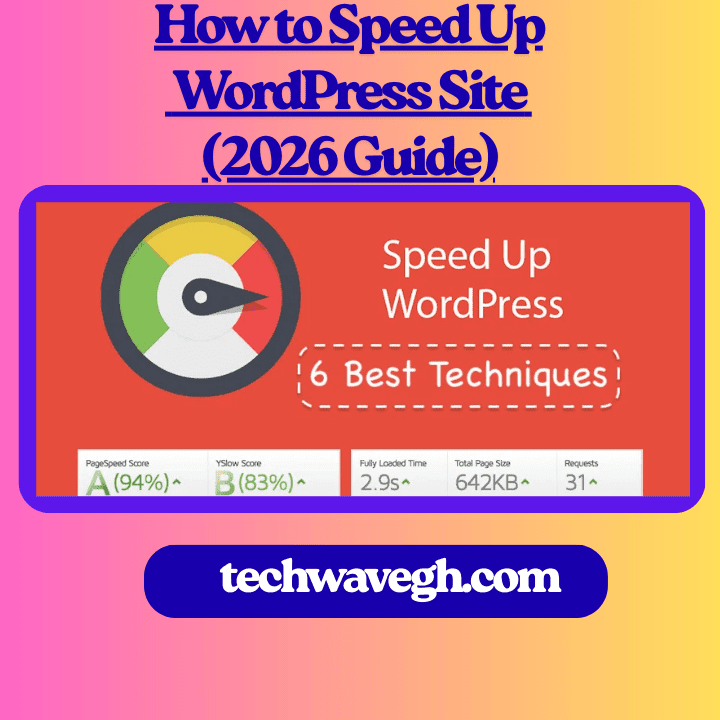
Let me be real with you for a second, a slow WordPress site hurts everything. Rankings drop, visitors bounce, and conversions disappear like mobile data on a bad network. That’s why I will show you how to speed up WordPress site for beginners 2026. I’ve built and optimized plenty of WordPress sites, and if there’s one lesson I learned the hard way, it’s this: speed is non-negotiable in 2026.
- Why WordPress Speed Matters More in 2026
- Choose a Fast WordPress Theme (This Matters a Lot)
- Use a Proper Caching Plugin
- Optimize Images (Silent Speed Killer)
- Reduce Plugin Overload
- Upgrade Your Hosting (Yes, It’s Worth It)
- Enable CDN for Global Speed
- Clean Your WordPress Database
- Test Your Speed (Don’t Guess)
- Final Thoughts: Speed Is a Habit, Not a One-Time Fix
If you’re wondering how to speed up your WordPress site, you’re in the right place. I’ll show you what actually works, no tech jargon overload, just practical steps you can apply today.
Why WordPress Speed Matters More in 2026
Google doesn’t play around anymore. Speed now affects SEO, user experience, and revenue, so I am here to show you the easiest way to speed up WordPress for free
Ever clicked a website and waited… and waited… then closed it? Yeah, your visitors do the same.
What I See on Slow WordPress Sites
Most slow sites suffer from:
Heavy themes
Too many plugins
Poor hosting
Unoptimized images
Fixing speed doesn’t require magic. It requires discipline.
Choose a Fast WordPress Theme (This Matters a Lot)
Your theme sets the foundation. If the foundation sucks, nothing saves you.
Lightweight Themes I Trust
I’ve tested dozens of themes, and these always perform well:
Astra
Neve
GeneratePress
They load fast, stay clean, and work great with page builders.
👉 Related guide:
https://techwavegh.com/free-wordpress-themes-for-business-websites
Use a Proper Caching Plugin
Caching turns your slow dynamic site into a fast static one. Simple logic, big results.
My Go-To Caching Plugins
I rotate between:
WP Fastest Cache
W3 Total Cache
LiteSpeed Cache (only with LiteSpeed hosting)
WP Fastest Cache works best for beginners, IMO.
Key benefits:
Faster page load
Reduced server load
Better Core Web Vitals
👉 Plugin guide:
https://techwavegh.com/best-wordpress-plugins-for-ghana-websites
https://wordpress.org/plugins/wp-fastest-cache/
Optimize Images (Silent Speed Killer)
Images ruin speed when you ignore them. I learned this after uploading “just one” 5MB image. Big mistake.
What I Do Every Time
I always:
Compress images before upload
Use WebP format
Lazy load images
Image Optimization Tools
Smush
ShortPixel
Optimole
Compressed images keep your site fast and your design sharp.
Reduce Plugin Overload
More plugins don’t mean more power. They usually mean more problems.
Ever installed a plugin “just to test” and forgot it existed? Guilty—I’ve done that too.
My Plugin Rule
If a plugin:
Adds no clear value
Overlaps with another plugin
Slows down the site
I delete it. No emotions involved.
For smart plugin choices, read:
https://techwavegh.com/best-wordpress-plugins-for-ghana-websites
Upgrade Your Hosting (Yes, It’s Worth It)
Cheap hosting costs more in the long run. Slow speed, downtime, and stress follow. Now to speed up slow WordPress site free no coding.
What Good Hosting Gives You
Faster server response time
Better uptime
Improved security
If your hosting costs less than lunch, expect lunch-level performance 🙂
https://www.wpbeginner.com/wordpress-hosting/
Enable CDN for Global Speed
A CDN delivers your content from servers closer to visitors. That helps a lot, especially for international traffic.
CDN Options I Recommend
Cloudflare (free and powerful)
Bunny.net
Cloudflare alone improved load time on one of my sites by over 30%. No joke.
Clean Your WordPress Database
Old revisions, spam comments, and junk data slow things down quietly.
Database Cleanup Tools
WP-Optimize
Advanced Database Cleaner
I schedule cleanups monthly. It keeps things smooth and stable.
Test Your Speed (Don’t Guess)
You can’t fix what you don’t measure.
Speed Testing Tools
Google PageSpeed Insights
GTmetrix
Pingdom
I test before and after every optimization. Watching the numbers improve feels oddly satisfying 🙂
Final Thoughts: Speed Is a Habit, Not a One-Time Fix
Speed optimization isn’t something you do once and forget. You build it into how you manage your site.
If you:
Use a fast theme
Optimize images
Limit plugins
Choose good hosting
Your WordPress site will fly in 2026.
So tell me, which speed fix are you starting with today?